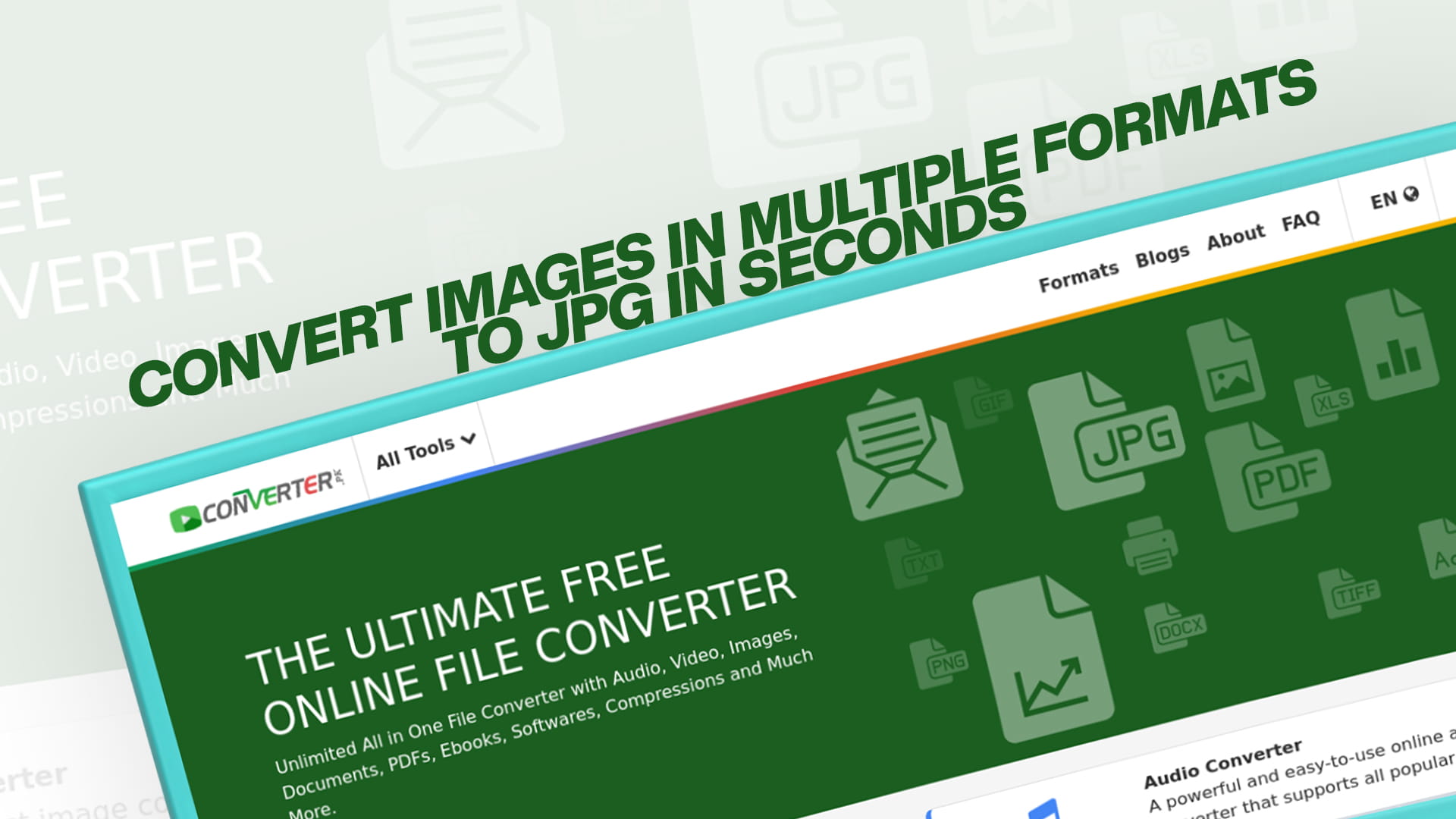
Convert Images in Multiple Formats to JPG in Seconds
Images come in a wide variety of formats. Some are designed for professional printing, some for web use, some for editing, and some for sharing on social media. While having so many format options is useful in certain situations, it also creates a very common and frustrating problem. You have an image in one format, but the platform, device, or application you want to use it with requires a completely different format. Or maybe you have dozens of images in different formats, and you want them all unified into one consistent file type for easier management.
This is where converting images to JPG becomes incredibly valuable. JPG is the most universally accepted image format in the world. It works on virtually every device, every operating system, every website, every social media platform, and every application you can think of. When you convert your images to JPG, you eliminate compatibility issues, reduce file sizes, and make your images ready for any purpose.
The best part is that you do not need technical knowledge, expensive software, or hours of your time to do this. With a powerful and completely free online tool like Converter, you can convert images in multiple formats to JPG in just seconds. Whether you have a single image or a large collection of files in different formats, Converter makes the conversion process fast, smooth, and effortless.
In this comprehensive guide, we are going to walk you through everything you need to know about converting images to JPG. We will explain what JPG is, why it is the best format for most purposes, which formats can be converted to JPG, how to do it step by step, who benefits from it, and how Converter makes it all available for free. By the time you finish reading, you will be fully equipped to handle any image conversion task with complete confidence.
What Is JPG and Why Is It So Important?
JPG, which is sometimes written as JPEG, stands for Joint Photographic Experts Group. This was the name of the committee that developed and standardized the format back in the early 1990s. Since then, JPG has grown to become the single most popular image format on the entire internet and across virtually all digital devices.
The reason JPG became so dominant is a combination of factors that make it ideally suited for the way most people use images every day. Understanding these factors helps you appreciate why converting your images to JPG is almost always a smart decision.
JPG uses lossy compression, which means it reduces file size by removing some image data that the human eye has difficulty perceiving. The degree of compression can be adjusted, giving you control over the balance between image quality and file size. At moderate compression levels, a JPG image looks virtually identical to the original while being dramatically smaller in file size. This makes JPG images fast to load, easy to share, and efficient to store.
JPG supports up to 16 million colors, which makes it perfect for photographs and any image with rich color gradients, subtle tonal variations, and complex visual details. It captures the nuances of real-world scenes beautifully, which is why it has become the standard format for digital photography.
The compatibility of JPG is unmatched by any other image format. Every smartphone camera saves photos as JPG by default. Every web browser supports JPG natively. Every social media platform accepts JPG without issues. Every photo printing service works with JPG. Every image editing program can open and save JPG files. There is no other image format that comes close to this level of universal support.
JPG also has decades of optimization behind it. Browsers, devices, and applications have been fine-tuned over many years to handle JPG images as efficiently as possible. This means JPG images not only load fast because of their small file sizes, but they also render quickly because the software handling them has been optimized specifically for the format.
For anyone who works with digital images in any capacity, understanding JPG and knowing how to convert other formats to JPG is a fundamental and extremely useful skill.
The Most Common Image Formats That Can Be Converted to JPG
One of the most powerful capabilities of Converter is its ability to convert a wide variety of image formats into JPG. Let us look at the most common formats you might encounter and why you might want to convert each of them to JPG.
PNG is one of the most frequently converted formats. PNG uses lossless compression, which means it retains every bit of image quality. It also supports transparency, which makes it the preferred format for logos, icons, and graphics with see-through backgrounds. However, PNG files are significantly larger than JPG files, especially for photographs. When transparency is not needed and file size matters, converting PNG to JPG is a simple and effective solution. The resulting JPG file will be noticeably smaller while looking visually identical for most practical purposes.
BMP, which stands for Bitmap, is a format that stores image data in a completely raw and uncompressed form. BMP files are enormous compared to compressed formats. A single BMP photograph can easily be many times larger than the same image saved as a JPG. There is rarely any reason to keep images in BMP format for sharing or web use. Converting BMP to JPG produces dramatically smaller files without any visible quality loss, making the conversion extremely worthwhile.
GIF is a format that most people associate with simple animations and memes. However, GIF has a significant limitation in that it can only display 256 colors at a time. For photographs and images with rich color detail, GIF produces visibly poor quality. Converting a GIF image to JPG allows it to display the full color spectrum, resulting in a much better-looking image. Of course, if the GIF is animated, the animation will be lost in the conversion because JPG does not support animation, but for still GIF images, the conversion to JPG is almost always an improvement.
TIFF is used extensively in professional photography, publishing, and archiving. TIFF files preserve the full quality of an image without any compression losses, which makes them ideal for professional work that requires maximum detail. However, TIFF files are very large and are not suitable for web use, email sharing, or everyday storage. Converting TIFF to JPG makes professional-quality images accessible and shareable for everyday purposes while dramatically reducing their file size.
WebP is a modern image format developed by Google specifically for web use. It offers excellent compression efficiency and supports both lossless and lossy compression. While WebP has gained significant adoption on the web, it is not supported by all applications and older software. Converting WebP to JPG ensures compatibility with any application or device, including older ones that may not have WebP support built in.
HEIC and HEIF are formats used by Apple for photos taken on iPhones and iPads running modern versions of iOS. These formats offer excellent image quality at small file sizes, which is why Apple adopted them. However, HEIC and HEIF are not universally supported outside of Apple's ecosystem. Windows computers, many Android devices, and various web platforms do not handle HEIC files natively. Converting HEIC to JPG is a common need for anyone who wants to share iPhone photos with people or platforms that do not support HEIC.
RAW formats, used by professional digital cameras from brands like Canon, Nikon, Sony, and others, capture the complete unprocessed data from the camera's sensor. RAW files contain far more information than any compressed format and give photographers maximum flexibility during post-processing. However, RAW files are very large and cannot be shared or used directly in most applications. Converting RAW files to JPG is a standard part of a photographer's workflow after editing.
SVG, or Scalable Vector Graphics, stores images as mathematical descriptions rather than pixels. SVG images can be scaled to any size without losing quality, which makes them perfect for logos and illustrations used across different sizes. However, not all applications and platforms support SVG. Converting SVG to JPG creates a pixel-based version of the image that works universally, though it will not scale without quality loss like the original SVG.
ICO is a format used for icons, particularly on Windows. ICO files contain small images at specific sizes used for application icons and website favicons. When you want to use an icon image in a context other than its intended purpose, converting it to JPG makes it accessible in any image viewer or editor.
PSD is Adobe Photoshop's native file format and contains layers, masks, adjustment layers, and other complex editing data. PSD files are working files used during the editing process, not for sharing or web use. Once editing is complete, converting the PSD to JPG creates a flat, optimized version ready for any purpose.
TGA, or Targa, is an older format that was commonly used in video games and early digital graphics work. While TGA is rarely encountered today, you may occasionally come across TGA files from older projects. Converting TGA to JPG makes these images usable in modern contexts.
Converter supports all of these formats and more, making it a comprehensive solution for any image conversion task you might encounter.
Introducing Converter: Your Free Image Conversion Tool
Converter, available at converter, is a powerful and completely free online platform designed to make file conversion fast, easy, and accessible for everyone. It is not just an image converter. Converter provides free conversion services for images, audio files, videos, documents, PDFs, eBooks, software files, compressed archives, and much more. Whatever file conversion challenge you are facing, Converter is equipped to handle it.
What sets Converter apart from many other online tools is the combination of breadth and simplicity. The platform supports an impressive range of file formats and conversion types while keeping the user interface clean, intuitive, and easy to navigate. You do not need to be technically knowledgeable to use Converter effectively. The design guides you naturally through each step of the conversion process.
Converter is entirely browser-based, which means there is nothing to download or install. You can use it on any device with a web browser and an internet connection. A Windows laptop, a Mac desktop, an Android phone, an iPhone, a tablet, or a Chromebook all work equally well with Converter. The platform is always available and always up to date, with no software updates or maintenance required on your end.
The platform is completely free to use for its core conversion features. You do not need to pay for a subscription, purchase a license, or create an account to start converting images. Just visit converter.pk and start converting for free immediately. This makes Converter accessible to everyone, regardless of budget or technical background.
Privacy is handled responsibly on the platform. Files you upload to Converter are processed securely and are removed from the servers after a short period once your conversion is complete. Your images are not stored permanently or used for any purpose other than performing the conversion you requested.
The speed of the converter is another major advantage. Most image conversions are completed within seconds, regardless of the original format. You do not have to sit and wait for long processing times. Upload your image, click convert, and your JPG file is ready to download almost immediately.
For anyone who needs to convert images to JPG, whether occasionally or as part of a regular workflow, Converter is the ideal tool. Visit the converter and start converting for free today to experience just how easy and efficient the platform truly is.
How to Convert Images to JPG Using Converter
The process of converting an image to JPG with Converter is designed to be as straightforward as possible. Here is a detailed step-by-step walkthrough so you know exactly what to expect from start to finish.
The first step is to open your web browser. Any modern browser works perfectly well, including Google Chrome, Mozilla Firefox, Safari, Microsoft Edge, and Opera. Once your browser is open, go to converter.pk to access the platform.
When the website loads, take a moment to explore the interface. You will find that it is clearly organized and easy to understand. Look for the image conversion section, which is where all the image-related tools are located. Converter organizes its tools by file type and conversion type, making it simple to find exactly what you need.
Select the conversion tool that matches your task. Since you want to convert images to JPG, you would navigate to the relevant tool, such as PNG to JPG, BMP to JPG, TIFF to JPG, or whichever format you are starting from. Converter provides specific tools for different format pairs, ensuring that each conversion is optimized for the particular formats involved.
Once you have selected the right tool, it is time to upload your image. Converter provides several convenient upload options. You can select a file directly from your device by clicking the upload button and browsing to the image on your computer, phone, or tablet. You can also provide a URL if the image is hosted online and you want to convert it directly from the web. Additionally, if your image is stored in cloud storage, you can upload it from Google Drive or Dropbox without having to download it to your device first.
After your image has been uploaded, you will have the option to configure output settings if you wish. For JPG conversion, you may be able to adjust the quality level of the output image, which determines the balance between file size and visual quality. A higher quality setting produces a larger file with more detail, while a lower quality setting produces a smaller file with slightly less detail. For most everyday purposes, a medium to high-quality setting works perfectly well. If you are not sure what to choose, you can leave the default settings in place and proceed.
When you are satisfied with your settings, click the convert button to start the conversion process. Converter will begin processing your image immediately. For most standard images, the conversion is completed within just a few seconds. You will typically see a progress indicator while the conversion is happening.
Once the conversion is complete, a download button will appear. Click it to save the converted JPG file to your device. Your image is now in JPG format and ready to be used however you need it, whether that means uploading it to a website, attaching it to an email, sharing it on social media, or simply keeping it organized in your files.
The simplicity of this process is one of Converter's greatest strengths. From opening the website to downloading your converted JPG, the entire process typically takes less than a minute, even for larger image files.
Why Converting to JPG Makes Your Images More Versatile
When you convert your images to JPG, you are not just changing the file extension. You are making your images fundamentally more versatile and useful in a wide range of situations. Let us explore the specific ways that converting to JPG enhances the usability of your images.
Universal compatibility is the most immediate benefit. As mentioned earlier, JPG is supported by virtually every device, platform, application, and service in existence. When you share a JPG image, you can be confident that the recipient will be able to open and view it without any issues, regardless of what device or software they are using. This peace of mind is something that no other image format can offer with the same level of certainty.
Reduced file size is another major benefit. JPG's efficient lossy compression produces files that are significantly smaller than most other image formats at comparable quality levels. Smaller files are easier and faster to share by email, messaging apps, and file transfer services. They upload faster to websites and cloud storage. They consume less mobile data when viewed on smartphones. They take up less storage space on your device. All of these benefits flow naturally from the smaller file sizes that JPG compression achieves.
Faster loading times on websites are a direct result of smaller JPG file sizes. Web pages that use JPG images for photographs load faster than pages using uncompressed or less efficiently compressed formats. Faster loading times improve the experience for visitors, reduce bounce rates, and can even improve search engine rankings. For anyone who manages a website, converting images to JPG is one of the simplest and most effective optimizations available.
Consistency across a collection of images is another practical benefit. If you have images in various formats, converting them all to JPG creates a unified, consistent collection that is easier to manage, organize, and use. You do not have to think about which application opens which format or worry about compatibility issues. All your images are in the same format and behave the same way.
Better social media performance is another advantage. Social media platforms handle JPG images efficiently and have optimized their systems to work well with the format. Uploading JPG images to platforms like Facebook, Instagram, Twitter, and LinkedIn generally produces better results than uploading in less common formats.
Converting Images to JPG for Different Purposes
Different situations call for slightly different approaches when converting images to JPG. Understanding these nuances helps you get the best possible results for your specific use case.
When converting images for website use, the priority is a balance between visual quality and file size. You want your images to look good on screen without slowing down your pages. A quality setting of around 70 to 85 percent typically strikes the right balance. This produces images that look excellent on screen while keeping file sizes small enough for fast loading. Pay attention to the dimensions of your images as well. There is no point displaying a 4000-pixel-wide image in a container that is only 800 pixels wide. Resizing images to the appropriate dimensions before or during conversion further reduces file size.
When converting images for email attachments, you want the images to be small enough to send without exceeding attachment limits while remaining clear enough to be appreciated by the recipient. A quality setting of around 70 to 80 percent usually works well for email purposes. Reducing the dimensions of very large images is also helpful when preparing them for email.
When converting images for social media, consider the specific dimensions recommended by each platform. Every social media network has its own optimal image sizes for different types of posts, profile pictures, cover photos, and stories. Converting your images to the right dimensions for each platform before uploading gives you more control over how they appear and avoids the platform's cropping or distorting your images automatically.
When converting images for printing, you want to maintain as much quality as possible. Use a high-quality setting, close to 90 to 100 percent, to preserve as much detail as possible. Also, ensure that the image has sufficient resolution for the intended print size. A general guideline is that print images should have a resolution of at least 300 dots per inch at the intended print dimensions.
When converting images for archiving or backup purposes, it is worth considering whether JPG is the right choice. Because JPG uses lossy compression, some image data is permanently removed during conversion. For archiving original photographs and important images, a lossless format like PNG or TIFF may be more appropriate if preserving every detail is important. However, for creating compressed archive copies alongside your originals, JPG is an efficient and practical choice.
When converting images for mobile apps or digital products, JPG is generally a good choice for photographs. The balance of quality and file size that JPG offers is well-suited to the constraints of mobile environments where storage and bandwidth are often at a premium.
The Impact of Converting Images to JPG on Website Performance
For anyone who manages a website, the performance implications of image formats and compression are particularly important. Let us take a deeper look at how converting images to JPG can meaningfully improve your website's performance.
Page speed is a critical factor in website success. Research consistently shows that websites that load slowly experience higher bounce rates, meaning visitors leave before the page fully loads. People expect websites to load quickly, and even a delay of a few seconds can cause a significant percentage of visitors to give up and go elsewhere. Images are typically the largest contributors to page load time, making image optimization one of the most impactful things you can do to improve speed.
When you convert large, uncompressed images to JPG, you often reduce their file sizes dramatically. A PNG photograph might be 5 megabytes in size, while the same image converted to JPG at high quality might only be 500 kilobytes or less. That is a tenfold reduction in size. Multiply this across all the images on a page, and the total data that needs to be downloaded decreases enormously, resulting in much faster page loads.
Search engine optimization, commonly known as SEO, is directly affected by page speed. Google and other search engines use page speed as one of the factors in determining how pages rank in search results. A slow website can be penalized in rankings relative to faster competitors. By converting your images to JPG and optimizing their sizes, you improve your page speed, which can positively influence your search rankings over time.
User experience improvements from faster loading also translate into longer time spent on your website, more pages viewed per visit, lower bounce rates, and higher conversion rates for e-commerce sites. All of these metrics improve when your pages load quickly, and converting images to optimized JPG format is one of the most effective ways to achieve faster loading.
Core Web Vitals, which are a set of specific metrics that Google uses to measure the user experience of web pages, are also influenced by image optimization. The Largest Contentful Paint metric, which measures how long it takes for the main content of a page to become visible, is often directly affected by the size and format of the primary image on the page. Converting and optimizing this image can noticeably improve this score.
Managing Large Collections of Images With Converter
For people who deal with large numbers of images on a regular basis, whether they are photographers, designers, bloggers, e-commerce managers, or social media professionals, having an efficient workflow for converting images is essential. Converter is well-suited to handling the conversion needs of both individuals and professionals with varying volumes of work.
Even when working through images one at a time, the speed of Converter makes it practical to process large numbers of images without it taking an unreasonable amount of time. Each conversion takes just seconds, so working through a set of images is much faster than it might initially seem.
The flexibility of being able to access Converter from any device is particularly valuable for professionals who work across multiple machines or who need to perform conversions while away from their primary computer. Whether you are at your main workstation, using a laptop at a client site, or working from your phone while traveling, Converter is always available.
Organizing your converted images systematically helps you maintain a smooth workflow. Creating a dedicated folder structure where you keep original files separate from converted JPG versions ensures that you always have access to both versions and never accidentally overwrite or lose your originals. Consistent naming conventions for converted files also make it easier to find the right version of an image when you need it.
How Converter Supports More Than Just Image Conversion
Converter is a remarkably versatile platform that goes far beyond converting images to JPG. It is a comprehensive, all-in-one file conversion solution that handles virtually every type of digital file you are likely to encounter.
For audio conversion, Converter supports all major audio formats, including MP3, WAV, AAC, FLAC, OGG, WMA, M4A, and many others. If you have a music file or voice recording in a format that your device or software does not support, Converter can convert it quickly and for free. Musicians, podcasters, and anyone who works with audio files will find Converter invaluable.
For video conversion, the platform handles formats like MP4, AVI, MOV, MKV, WMV, FLV, WebM, 3GP, and more. Whether you need to convert a video for playback on a specific device, prepare footage for upload to a platform, or change the format of a recording for editing, Converter has the tools to do it.
For document conversion, Converter supports a wide range of formats, including Word documents, PDF files, Excel spreadsheets, PowerPoint presentations, and many more. Converting between these formats is a common need for students, office professionals, and anyone who regularly handles documents from different sources.
For PDF-specific tasks, Converter can create PDFs from various file types and convert PDFs back into editable formats. This is particularly useful for people who receive PDF documents that they need to edit or extract content from.
For eBooks, Converter supports formats like EPUB, MOBI, AZW, FB2, and others. If you have an eBook in one format and need it in another for use on a specific e-reader device, Converter makes the conversion simple and free.
For compressed archives, the platform works with ZIP, RAR, 7Z, TAR, and other formats. You can compress files for sharing or storage, and you can extract files from archives you receive, all within the same platform.
For software files, including formats like APK for Android applications, Converter provides conversion tools that many other platforms do not offer.
All of this is available for free at converter.pk. It is the one platform you will need for virtually any file conversion task, no matter what type of file you are working with.
Practical Scenarios Where Converting to JPG Solves Real Problems
To truly appreciate the value of being able to convert images to JPG quickly and for free, it helps to think about the specific real-world situations where this capability comes in handy. Here are some common scenarios that many people encounter.
You receive a set of product photographs from a professional photographer who has delivered them as TIFF files for maximum quality. These files are each 50 to 100 megabytes in size and cannot be uploaded to your e-commerce website without conversion. By converting them to JPG using Converter, you reduce each file to a fraction of its original size while maintaining excellent visual quality for web display. Your product pages load fast and look great.
You have a collection of old photos saved as BMP files on an ancient computer. BMP files are enormous and are not recognized by many modern apps and platforms. By converting them to JPG, you make them accessible on any device, compatible with any platform, and dramatically smaller in size. You can now share these memories easily with family and friends.
You are a blogger who writes photo-heavy travel articles. Your camera produces large RAW files that need to be converted and optimized before you can use them on your website. Converting them to JPG using Converter transforms them into web-ready images that load quickly on your blog without compromising the visual quality that makes your articles compelling.
You receive images from a colleague who uses an iPhone. The files arrive as HEIC images, which your Windows computer cannot open natively. Converting them to JPG with Converter makes them immediately accessible on your computer without needing to install additional software or codecs.
You are a student putting together a digital presentation that includes images you have collected from various sources. The images are in a mix of PNG, GIF, BMP, and WebP formats. Converting them all to JPG using Converter creates a consistent set of images that work reliably in your presentation software and keep the overall file size of your presentation manageable.
You run a social media account and want to maintain consistent image quality across your posts. By converting all your images to JPG before uploading, you ensure that each image is in the optimal format for the platform and that the quality is as good as possible within the platform's own compression system.
Why Everyone Should Know How to Convert Images to JPG
In today's digital world, images are an integral part of how we communicate, share information, conduct business, and express creativity. Knowing how to work with image files effectively, including knowing how to convert them to the right format for any given purpose, is a practical skill that benefits virtually everyone.
You do not have to be a professional designer or a technical expert to benefit from this knowledge. Whether you are a parent wanting to share family photos, a student working on a school project, a small business owner managing your own website, a teacher creating educational materials, or a professional handling documents and presentations, the ability to quickly convert images to JPG using a free tool like Converter makes your digital life easier and more efficient.
The barriers to entry are essentially zero. Converter is free to use, requires no installation, needs no technical knowledge, and works on any device. There is absolutely no reason not to take advantage of this capability whenever you need it.
Tips for Getting the Best Results When Converting Images to JPG
To make the most of Converter and ensure that your converted JPG images meet your expectations, keep these practical tips in mind.
Always keep your original image files in a separate location before converting. Since JPG uses lossy compression and some data is permanently removed, you cannot fully recover the original quality from a JPG. Having your originals backed up means you can always go back and create a new conversion with different settings if needed.
Choose a quality setting appropriate for your intended use. For web images, a quality level around 70 to 85 percent typically works well. For print preparation, use 90 percent or higher. For thumbnails and previews where file size is the main concern, lower quality settings are acceptable.
Consider the dimensions of your images in addition to the compression. Reducing a very large image to a more appropriate size for its intended use can have a significant impact on file size, often more than compression alone. If an image is to be displayed at 800 pixels wide on a website, there is no benefit to keeping it at 3000 pixels wide.
Preview your converted images before using them in important projects. Open the JPG file and zoom in to check that the quality is acceptable and that there are no visible compression artifacts. If you see problems, go back to Converter and try a higher quality setting.
Give your converted files descriptive names so you can easily identify them later. Including information about the dimensions or intended use in the file name can save you time when organizing and locating images.
The Future of Image Formats and Why JPG Remains Relevant
The world of digital imaging is constantly evolving. New formats like WebP, AVIF, and HEIF have emerged with better compression efficiency and additional features compared to JPG. These formats are increasingly being adopted by browsers, devices, and platforms.
Despite this evolution, JPG remains highly relevant and will continue to do so for the foreseeable future. The sheer scale of JPG adoption means that it will be supported everywhere for many years to come. Billions of JPG images exist on the internet, on devices, and in archives around the world. The infrastructure to handle JPG is deeply embedded in virtually every piece of technology that deals with images.
For most everyday purposes, JPG remains the safest and most practical choice because of its universal compatibility. While newer formats offer technical advantages in specific areas, none of them match JPG's compatibility guarantee. Until a newer format achieves the same level of universal support that JPG enjoys, converting images to JPG will remain the most practical solution for ensuring that your images work everywhere.
Converter stays current with evolving format support, meaning it continues to add support for newer formats as they become more widely adopted. This ensures that as the landscape of image formats evolves, Converter remains a useful and relevant tool for all your conversion needs.
Final Thoughts
Converting images in multiple formats to JPG is one of the most practical and frequently needed digital tasks in modern life. Whether you are dealing with old BMP files from a decade ago, HEIC photos from your iPhone, professional TIFF images from a photographer, or PNG graphics from a designer, the ability to quickly convert any of these to JPG using a free, reliable, and easy-to-use tool is genuinely valuable.
Converter makes this entire process remarkably straightforward. With support for a vast range of input formats, fast conversion speeds, adjustable quality settings, multiple upload options, and a clean, user-friendly interface, it is the ideal tool for anyone who needs to convert images to JPG, whether they do it occasionally or as part of a daily workflow.
And remember, Converter is much more than an image conversion tool. It is a comprehensive all-in-one platform that provides free conversion for images, audio, videos, documents, PDFs, eBooks, software files, compressed archives, and more. Whatever file conversion needs you encounter, Converter has a solution ready and waiting.
So the next time you find yourself with an image in a format that will not work where you need it to, do not waste time searching for obscure software or dealing with compatibility frustrations. Simply visit converter.pk and start converting for free. In just seconds, your image will be converted to JPG and ready for any purpose you have in mind. It is fast, it is free, it is easy, and it works on any device. Everything you need to handle image conversion with confidence is right there waiting for you.